Exporting built-in drawings
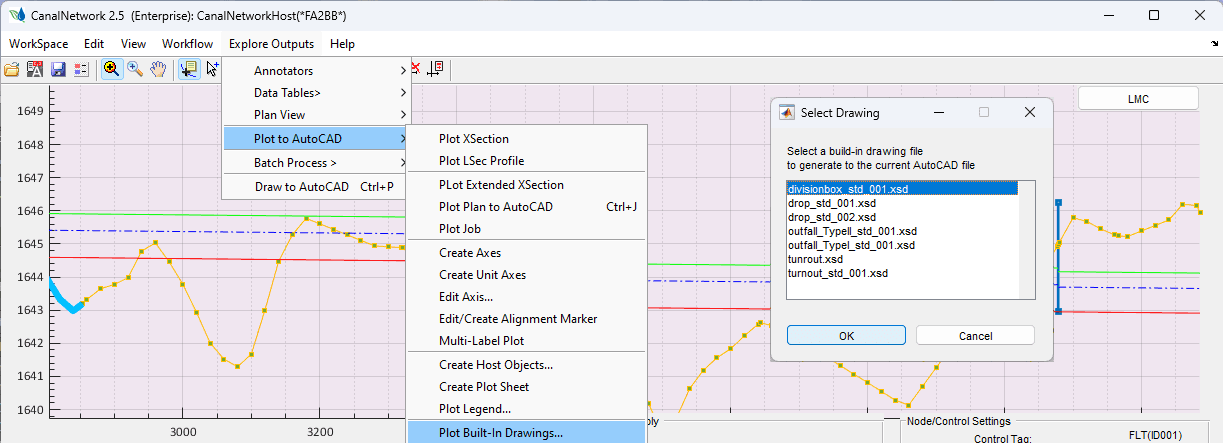
CanalNET software has implemented standard structures as can be applied in different conditions in the entire network. These standard structures include drops, turnouts, division boxes, and outlet structures. For these strucures, a standaridized drawing are built in to the software. Users can generate built in drawings from the installed resources as follows.
-
Make the desired autocad drawing to contain the imported drawings the current drawing.
-
Go to
Explore Outputs > Plot to AutoCAD > Plot Built_in Drawings...menu command. This will start theSelect Drawingdialo as shown below.
-
Choose the desired drawing to import, and click
Ok. -
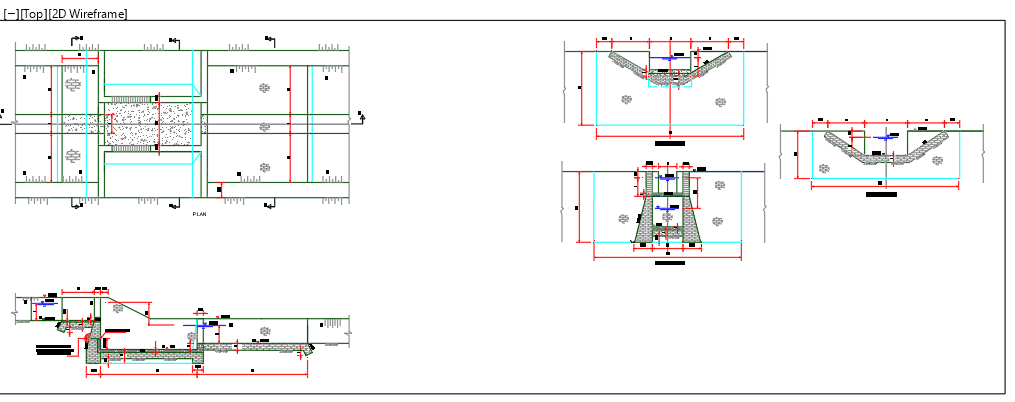
Back in AutoCAD, select an insertion point. The desired drawing is imported.
Known Limitations and Issues
Below is a list of observed limitations that users can expect.
- Berm Provissions on Drop locations: Plan views do not show how terrain changes along side a canal drop.